
Arrow Way: Tap Away Puzzle
JoyPop GamesTrivia
4.820.00 Reviews
- Version
- 1.4.8
- Installs
- 1.00M
- Age Rating
- Everyone
Screenshots
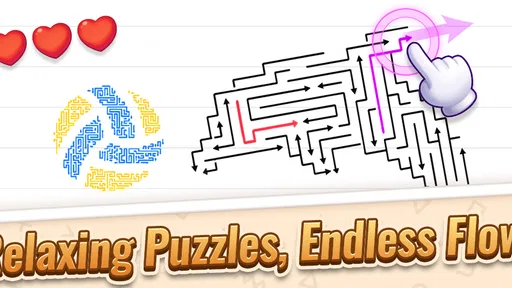
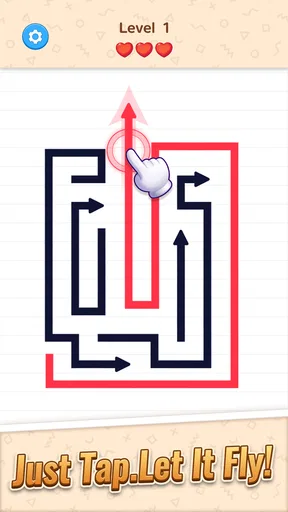
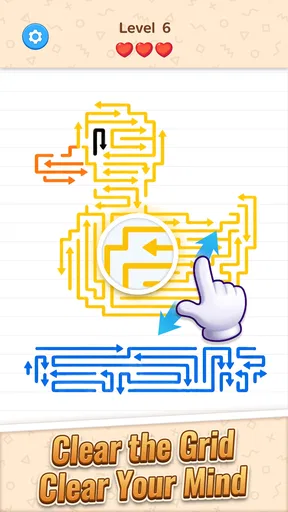
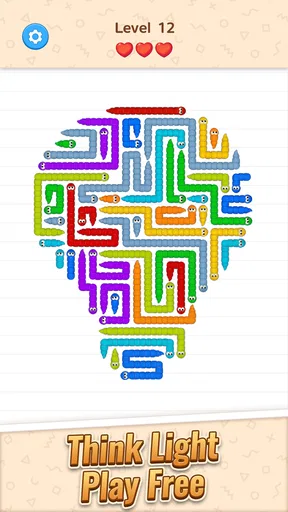
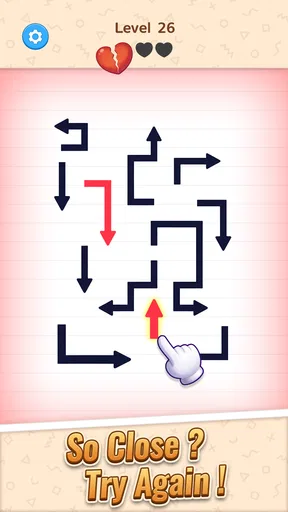
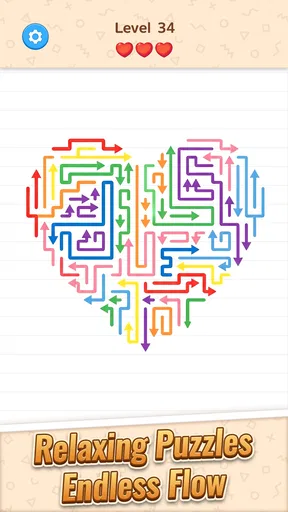
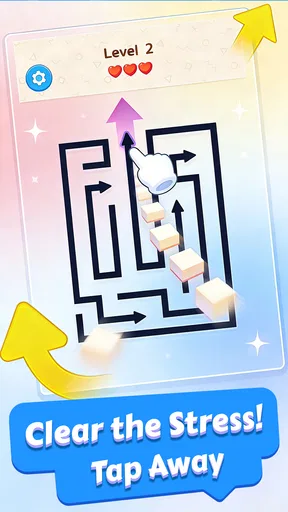
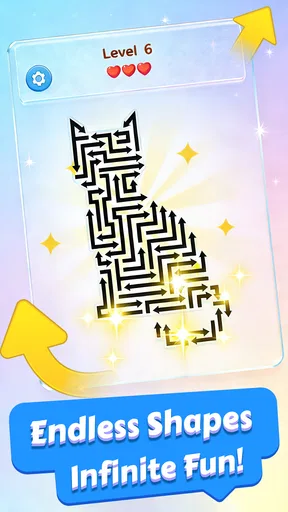
Our Review of Arrow Way: Tap Away Puzzle
 Analysis by Appyee
I approached Arrow Way: Tap Away Puzzle as a small, focused trivia game for the moments when I want something simple to pick up and put down. Its basic idea is easy to understand: tap arrows and work toward a calmer, more controlled rhythm. That sounds modest, but the appeal is precisely that it does not ask me to learn a complicated rule set before I can play.
JoyPop Games has placed the game in a comfortable middle ground between a quick puzzle diversion and a light mental exercise. It is free to start, suitable for Everyone, and available for devices running Android 7.0 or later. The game has attracted over a million installs and holds a 4.8 average from around sixteen thousand ratings, which suggests that its straightforward format has found a substantial audience.
My overall impression is positive, with one important qualification: this is best for players who enjoy short, focused interactions rather than a deep trivia adventure or a long-form competitive quiz. The arrow mechanic gives the game its identity, but it also means that people looking for broad question banks, elaborate stories, or extensive strategy may quickly feel that it is too narrow.
Where the simple arrow idea becomes surprisingly demanding
The first few rounds feel almost effortless. I see the arrows, tap in the direction that appears correct, and move forward. The challenge comes from maintaining attention while the visual arrangement becomes less immediately readable. A casual glance is not always enough, so I have to slow down and check the path instead of treating every tap as automatic.
That is where the “zen” side of the experience makes sense to me. The game is not relaxing because every action is easy; it is relaxing when I stop rushing. I get the best results when I treat each move as a small observation task. Trying to play too quickly creates avoidable mistakes, especially when I am distracted or switching between the game and another activity.
A common sticking point is assuming that the fastest tap is always the best tap. In practice, I found it more useful to scan the whole visible arrangement before committing. This is a small habit, but it changes the feel of the game. Instead of reacting to one arrow at a time, I start looking for the order that keeps the board understandable.
Another source of friction is attention fatigue. The game is easy to understand, yet repeated directional decisions can become tiring when I play for too long. If a round suddenly feels confusing, I do not automatically interpret that as a difficult puzzle. Often I have simply stopped looking carefully. Taking a short break is more effective than forcing a series of careless taps.
This makes the game a good fit for a commute, a waiting room, or a brief pause between tasks. I would not choose it as my main evening game if I wanted a large sense of progression or a story to follow. Its strength is the compact loop, not a broad collection of systems.
Why players may think a mistake is a technical problem
Directional games create a particular kind of uncertainty: after an incorrect tap, it can be difficult to tell whether I misunderstood the visual cue or whether the touch was not registered. Before blaming the app, I check whether my finger landed directly on the arrow and whether I was tapping while the screen was still changing. A rushed touch can feel like a missed input even when the game is behaving normally.
I also avoid tapping repeatedly when I think the first touch did not work. Repeated taps can make the situation less clear, because I no longer know which action the game received. My better routine is to pause briefly, look at the current state, and then make one deliberate tap. That approach is slower but much easier to diagnose.
Screen size matters as well. On a compact phone, arrows and nearby elements can feel more crowded than they do on a larger display. I found that holding the device steadily and playing with one finger gives me better control than trying to use both hands while walking or multitasking. This is not a game that rewards a frantic grip.
Setup checks before deciding something is wrong
Because the game supports Android 7.0 and newer, I would begin by checking the operating system on an older phone before spending time troubleshooting installation. Compatibility is the first practical checkpoint. If the device is eligible, I would then make sure there is enough free storage for the installation and that the app store itself is functioning normally.
The game is free to download, but optional purchases range from $0.99 to $5.99 per item. I consider that worth remembering before handing the phone to a child, even though the content rating is Everyone. A free starting point does not automatically mean that every part of the surrounding purchase process is irrelevant, so I prefer to review device-level purchase protections in advance.
After installation, I would launch the game once while connected to a stable network, then give it a moment to finish whatever initial preparation the device requires. I do not repeatedly close and reopen it during that first start. If the opening screen seems slow, waiting briefly is more sensible than assuming the installation failed.
The current version is 1.4.8, so I would also check whether the installed copy is current before investigating unusual behavior. Updating is a sensible first step when a game opens but responds inconsistently. I would avoid downloading unofficial copies or modified versions, since they make it much harder to know whether a problem comes from the game, the device, or the altered package.
My preferred setup is simple: a charged phone, a clean screen, and notifications temporarily reduced if I want an uninterrupted session. Finger marks can genuinely affect small touch targets, and a notification arriving during a directional decision can break concentration. These are ordinary details, but they matter more in a game built around precise, quick visual choices.
A reliable routine when a session goes off track
When the game stops responding as expected, I recover in stages rather than jumping straight to drastic measures. First I stop tapping and observe whether the screen is still processing. Then I check the device’s general responsiveness by using another app. If the entire phone feels sluggish, the issue may be broader than Arrow Way.
If the phone is responsive but the game remains stuck, I close it normally and reopen it. I make sure the app is not still sitting behind another screen, and I check for an available update. These steps are deliberately conservative because they preserve the simplest explanation: a temporary app or device hiccup.
I would only consider clearing local app data or reinstalling after making sure I understand the consequences for the current session. Any game that depends on local progress can potentially lose unsynchronized information when its data is removed. Since I cannot assume how every version handles progress, I would treat that step as a last resort rather than a routine fix.
The same caution applies to purchases. If an optional item appears not to have arrived, I would avoid buying it again immediately. I would first confirm that the transaction completed through the device’s normal purchase history, restart the game, and allow a little time for the account state to update. Repeating a purchase can create a second problem instead of solving the first.
For a touch issue, I use a short test: tap one clearly visible arrow once, wait, and see whether the game changes. If only one area of the screen responds poorly, I inspect the screen protector and clean the display. If every app has trouble recognizing touches in that area, the phone itself becomes the more likely cause.
When the app is not the cause
Not every loading delay or missed action belongs to the game. A phone with very little free space, heavy background activity, an aging battery, or a temporary system slowdown can make any small game feel unreliable. I compare the behavior with another lightweight app before concluding that Arrow Way is at fault.
Network conditions can also confuse the diagnosis. If the game opens normally but something connected to the store or account side does not update, I check whether other online services are working. Switching between a stable Wi-Fi connection and mobile data can help identify a connection problem, but I would not repeatedly change settings while a purchase or update is processing.
Notifications are another overlooked factor. A banner, call, accessibility overlay, or floating control can cover part of the play area or interrupt a tap at exactly the wrong moment. I temporarily remove those distractions when testing. If the game works normally afterward, the interruption—not the arrow puzzle itself—was probably responsible.
Device orientation and one-handed use can create misleading results too. If I rotate the phone or change my grip during a round, my finger may land differently from where I expect. I get a clearer answer by holding the device still and testing several deliberate inputs in the same position.
For children or shared devices, account settings deserve separate attention. The game is rated Everyone, but device purchase controls, screen-time rules, and store authentication are managed at the device or account level. If a family member cannot install or purchase something, I would check those controls rather than treating the content rating as a guarantee that every account action will be unrestricted.
How it compares with ordinary trivia and puzzle alternatives
Although the game sits in the trivia category, it does not feel like a traditional quiz where I answer questions about history, science, entertainment, or geography. Its challenge is visual and directional. That makes it a better choice when I want to exercise attention without needing a particular knowledge base.
Compared with a classic crossword or word puzzle, Arrow Way asks less from my vocabulary and more from my visual tracking. Compared with a general knowledge quiz, it avoids the frustration of getting stuck because I do not know an obscure fact. On the other hand, it offers less educational value if my goal is to learn information or test what I already know.
It also differs from a large strategy puzzle. I am not planning several turns ahead in the way I would in a board-game adaptation, and I am not building a complex solution over a long session. The trade-off is accessibility: I can understand the central action quickly, but players who need layered mechanics may find the experience limited.
For a short break, I prefer this focused format to opening a full quiz app and committing to a long question set. For a group game, however, I would choose a conventional trivia title instead. Arrow Way feels primarily personal and concentrated; it is not the kind of experience I would use to host a lively round with friends.
Everyday situations where the game fits best
One realistic use is a five-minute pause between meetings. I can open the game, play carefully, and stop without needing to remember a complicated storyline or rebuild a large strategy. If a notification interrupts me, the cost is mainly a broken moment of concentration rather than losing the thread of an elaborate campaign.
I also see it working well during a quiet commute when I am seated and can hold the phone steadily. I would not play while walking, crossing a street, or doing anything that requires full attention. The game may be simple, but its directional choices still need visual focus, and the “relaxing” quality disappears if I am trying to use it in an unsafe situation.
For someone who tends to overthink conventional trivia questions, this is a gentler alternative. There is no need to feel embarrassed about not knowing an answer. The challenge is more immediate: observe, choose, and adjust. That makes it suitable for casual players who want a mental reset rather than a test of stored knowledge.
It can also serve as a useful attention warm-up before studying, provided I keep the session brief. I would not claim that it teaches concentration in a formal sense, but the repeated need to pause before tapping encourages a more deliberate rhythm. My practical tip is to stop while the game still feels refreshing; extending the session after attention fades reduces the benefit.
Who should install it, and who should skip it
I would recommend it to players who like clean, immediately understandable mobile games and enjoy visual decision-making. It is especially approachable for someone who does not want a large download experience, a complicated tutorial, or a strong commitment before the first enjoyable round.
It is also a reasonable option for families looking for an Everyone-rated game, as long as an adult reviews the device’s purchase controls. The free entry point makes trying it easy, while the optional item prices mean that shared devices should still be configured thoughtfully.
I would skip it if my main goal were factual learning. The trivia label may attract people expecting question-and-answer content, but the arrow-focused format is a different kind of mental challenge. I would also look elsewhere if I wanted multiplayer competition, a story campaign, extensive customization, or a deep progression system.
Players with hand fatigue or visual difficulties may need to be more cautious. The game depends on seeing directional cues and making repeated taps, so comfort varies by device, display, and personal needs. Taking breaks and increasing general system readability where possible can help, but I would not choose this as a primary game if precise touch interaction is uncomfortable.
My practical verdict after using it
Arrow Way: Tap Away Puzzle succeeds because it keeps its central action clear. I can start without preparation, understand what I am meant to do, and use a careful rhythm to make the experience feel calmer. JoyPop Games has made a trivia-category game that behaves more like a compact visual puzzle, and that distinction is important when deciding whether it matches my expectations.
The strongest advice I can give is to play deliberately, keep the screen clean, and troubleshoot in small steps. Many apparent failures come from rushed taps, interruptions, an overloaded phone, or a connection issue around account activity. Checking the operating system, installed version, device responsiveness, and purchase status in that order gives me a much clearer path than immediately reinstalling.
The game is free, rated Everyone, and supported on Android 7.0 or later, with optional purchases from $0.99 to $5.99 per item. Those details make it easy to try, but they do not change the core recommendation: install it for short, focused arrow puzzles, not for traditional trivia knowledge or a feature-heavy gaming experience.
For me, it is most enjoyable as a reset between demanding tasks. I would keep it on a phone used for quick breaks, especially when I want something more engaging than scrolling but less demanding than a full strategy game. Its limitations are real, yet they are closely tied to its focused design. If that narrow loop sounds appealing, this is a polished little diversion worth trying; if I want variety, competition, or learning content, another category of game would serve me better.
Verdict
Strengths of Arrow Way: Tap Away Puzzle
- Simple tap controls make the puzzle mechanics easy to learn.
- Short levels are convenient for quick gaming sessions.
- Satisfying block-clearing effects make progress feel rewarding.
- Gradually increasing difficulty keeps the gameplay engaging.
- Works well for players who enjoy relaxing spatial challenges.
Limitations of Arrow Way: Tap Away Puzzle
- Some levels may feel repetitive after extended play.
- Later puzzles can be frustrating without careful planning.
- Hints or extra assistance may be limited or tied to rewards.
- The game may include frequent ads between or during levels.
- Its minimalist gameplay may not appeal to players seeking variety.
Other Releases by JoyPop Games
View All
Beat Tiles 2: Piano Master
Music3.7

One Line Games: Puzzle Fun
Trivia3.9
Similar Picks in This Category
View All
Millionaire 2026 Quiz & Trivia
Quiz & Trivia Games by Submarine Apps4.5

Brain Test 2: Tricky Stories
Unico Studio4.7

Trivia Crack: Brain Quiz Games
etermax4.4

QuizzLand. Quiz & Trivia game
Quiz & Trivia Games by Mno Go Apps4.8

Brain Test: Tricky Puzzles
Unico Studio4.7

Logo Quiz
bubble quiz games4.5
Frequently Asked Questions
What is Arrow Way: Tap Away Puzzle?
Arrow Way: Tap Away Puzzle is a casual logic game based on clearing groups of arrow-shaped blocks from a compact board. Your objective is to tap pieces in the correct order so they can move in the direction they point without colliding with other blocks. As the levels progress, the layouts become more crowded, making planning and patience more important than speed.
How do you play Arrow Way: Tap Away Puzzle?
The basic controls are simple: tap an arrow block when its path is clear, and it will move away from the puzzle area. Before making a move, you need to examine the surrounding pieces and identify which arrows are currently free. Removing blocks in the wrong order can leave the remaining puzzle locked, so the game rewards careful observation and forward planning.
Is Arrow Way: Tap Away Puzzle free to download and play?
Arrow Way: Tap Away Puzzle can generally be downloaded at no initial cost, allowing players to try its core puzzle levels without paying upfront. However, the experience may include advertising, optional purchases, or other monetized features depending on the version and platform. It is worth checking the store listing for current details about ads, in-app purchases, and available content.
Does Arrow Way: Tap Away Puzzle require an internet connection?
Many puzzle sessions in Arrow Way: Tap Away Puzzle may be playable offline after the game has been installed, which makes it convenient for travel or short breaks without reliable mobile data. Some features, such as advertisements, cloud progress, updates, leaderboards, or purchases, may still require an internet connection. Availability can vary by device and app version.
Is Arrow Way: Tap Away Puzzle suitable for all ages?
Arrow Way: Tap Away Puzzle is designed as a non-violent, easy-to-understand puzzle game and is generally suitable for players who enjoy casual brain teasers. The controls are accessible, but later stages can become surprisingly challenging and may require concentration. Parents should still review the store’s age rating, advertising behavior, and in-app purchase settings before allowing younger children to play.
Play our best games!


